
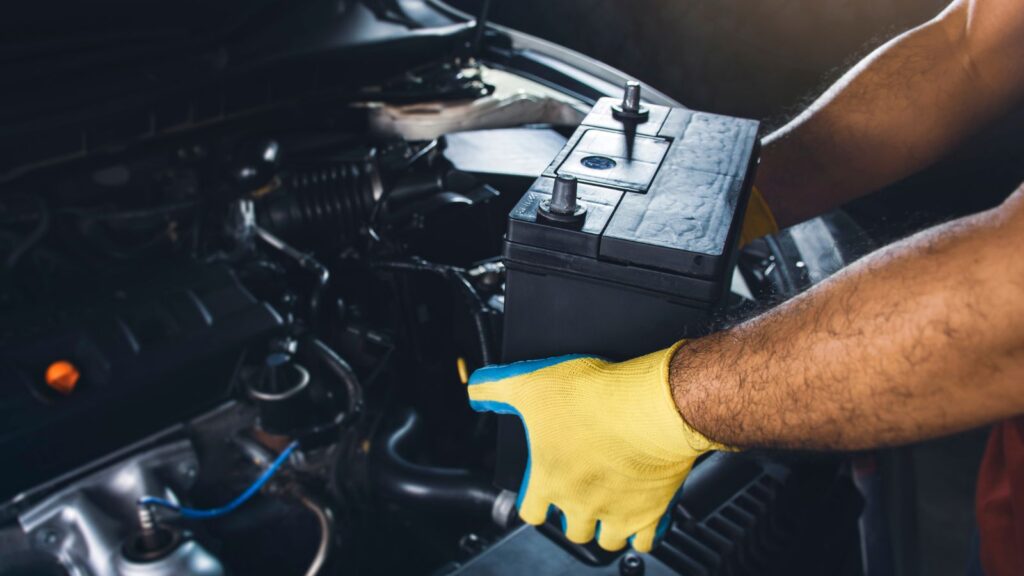
Swapping a dead car battery feels like one of those satisfying ten-minute jobs. You pop the hood, loosen two terminals, drop in the new battery, and the engine fires right up. Job done – or so it seems.
Then you notice the clock is blinking 12:00. The radio screen says CODE. Your windows won’t auto-close anymore, the tire pressure light is glowing, and the engine idles a little rough for the first few miles. None of this means you did anything wrong. It’s simply what happens when a modern vehicle loses power, even for a minute: some electronic systems may lose settings or learned values and need to be reset or relearned.
Here’s a rundown of the most common things that can reset after a battery change, in the order most drivers notice it – and how to get everything back without a trip to the dealer.
1. The Radio and Infotainment System
This is the one that catches most people off guard. Many factory head units carry an anti-theft lock: once power is cut, the radio refuses to work until you enter a security code. It’s a feature designed to make stolen radios worthless, but it locks out plenty of legitimate owners every year.
Where you find the code depends on the brand. Some manufacturers print it on a card in the owner’s manual wallet. Others stamp it on a sticker inside the glovebox. If previous owners lost the paperwork, you’re not stuck – the code is tied to the radio’s serial number, which is usually displayed by holding certain preset buttons or printed on the unit’s label.
For Chrysler, Dodge, Jeep and RAM vehicles, the process is often more straightforward than most: many factory units use serial-based codes, and you can look up your Mopar radio code by serial number online instead of booking a dealer appointment for it. Write the code down somewhere safe once you have it – the next battery change will come around sooner than you think.
2. The Clock and Date
Trivial, but worth mentioning because it’s often the first clue that other systems reset too. On older vehicles it’s a button combination; on newer infotainment systems the clock usually syncs automatically from GPS once the radio is unlocked and running. If your clock is wrong, assume everything else on this list may need attention as well.
3. Power Windows (Auto Up/Down)
If your one-touch auto-up or auto-down stopped working, the window module simply forgot its upper and lower limits. The relearn procedure is nearly universal: hold the switch to lower the window fully, keep holding for a few seconds, then raise it fully and hold again. Repeat for each window that lost the feature. On some models the exact timing differs, so if the generic method doesn’t take, your owner’s manual – available digitally through Mopar’s official owner’s site for FCA/Stellantis vehicles – lists the exact sequence for your model year.
4. Tire Pressure Monitoring System (TPMS)
On some vehicles, a TPMS warning may appear after power has been restored, even though the tires are fine. If that happens, check the actual pressures first – the light may simply be doing its job. If pressures are correct, a period of normal driving usually lets the system relearn its sensors; your owner’s manual will tell you whether your model needs a specific relearn procedure instead.
5. Engine Idle and Transmission Behavior
Modern vehicles may store adaptive values for things like fuel trim, idle control and transmission shift behavior. After a power loss, some of these learned values may need to be rebuilt. Cut the power and those adaptive values go back to factory defaults. The result: a slightly lumpy idle, hesitation, or shifts that feel harsher than you remember.
This one fixes itself. Over the next several drive cycles of normal, varied driving – some city, some highway – the computer rebuilds its adaptation tables. If rough running persists well beyond that, the timing of the battery change is probably a coincidence and worth a proper diagnostic.
6. Steering Angle and Other Smaller Systems
Depending on the model, you may also notice:
- Steering angle sensor – some vehicles want a simple lock-to-lock steering turn after power loss so stability control knows where “straight ahead” is.
- Sunroof or convertible top limits – relearned much like windows, with a hold-at-the-end-of-travel procedure.
- Seat and mirror memory positions – occasionally wiped on older systems; you’ll need to store them again.
- Garage door (HomeLink) buttons – usually survive, but on some models they don’t.
None of these are faults – just settings and learned values that some modules need to pick up again after a power interruption.
How to Make the Next Battery Change Painless
A little preparation turns all of the above into a non-event:
- Find your radio code before you disconnect anything. Five minutes now saves a locked radio later.
- Use a memory saver. A small OBD-II memory saver or a 9V adapter keeps modules powered during the swap, preserving codes and adaptations. Follow the instructions from both the device and your vehicle’s manufacturer – on some modern cars the procedure has caveats, so it’s not universally plug-and-forget.
- Photograph your settings. Radio presets, seat positions, trip data – a couple of phone photos make restoring them trivial.
- Keep the code with the car, not in the car’s memory alone. A note in your phone or the service booklet means the next owner – or future you – won’t be searching for it.
The Bottom Line
A battery replacement touches more electronics than most drivers expect, but everything on this list is typically recoverable without special tools and without a dealer visit. For many drivers, the radio lock is the most immediately frustrating reset because it won’t resolve itself simply by driving – so sort the code out first, store it somewhere permanent, and let the rest of the systems relearn at their own pace.